This is a short post describing how you can check if your APEX installation supports Multilingual Engine (MLE)/JavaScript.
APEX makes it very easy for developers to use MLE: when you create a new workspace you have the option to let APEX create a new schema for you, or use an existing one. Should you decide to let APEX generate the workspace schema, the necessary privileges for using MLE are already granted, and you’re good to go.
Should you decide to use an existing schema for your workspace you must ensure the necessary privileges are granted by you. These are documented in chapter 9 of the JavaScript Developer’s Guide. But how can you tell if MLE is available in an existing workspace? It’s a lot easier than you might think!
The Help > About menu entry provides a quick way to test if your workspace is MLE-enabled. Left-click the help menu (question mark in a circle) as indicated in the screenshot, then select About.
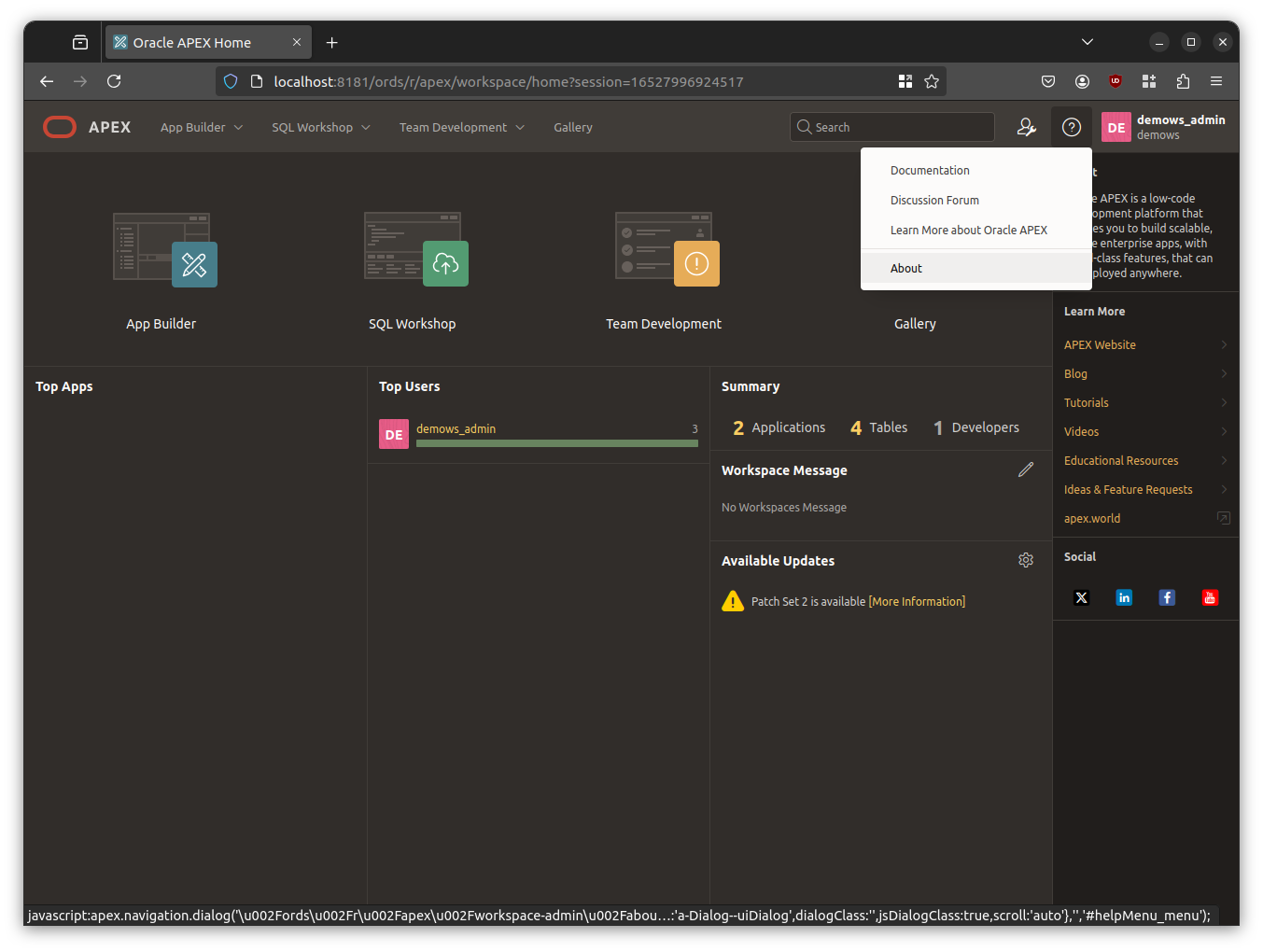
Scroll down to the section titled Multilingual Engine:

If you are using Oracle Database 23ai on Linux x86-64 and a compatible APEX version >= 24.x you should be told that you can use MLE/JavaScript. The following lists common reasons for MLE not to be available
- Using another than the current long term support release. Although MLE was first introduced with Oracle Database 21c you should use Oracle Database 23ai for all your JavaScript development needs. Oracle Database Release 19c and earlier do not support MLE.
- Using an unsupported platform. At the time of writing Linux x86-64 was required to create and run MLE code.
- Missing grants. Please refer to chapter 9 of the JavaScript Developer’s Guide for details. Don’t forget to grant
SODA_APPin case you want to use the Simple Oracle Document Access API. - MLE has been disabled by changing the value of the initialisation parameter mle_prog_languages.
Happy coding!
 Martins Blog
You must be logged in to post a comment.