A question came up recently how to troubleshoot MLE/JavaScript handlers in Oracle Rest Data Services (ORDS). These kind of questions are great inspirations for blog posts, as you can see in this article.
If you are unfamiliar with the concept of ORDS handlers written in JavaScript, please refer to an earlier post for more details. I used Oracle Database Free 23.7 and ORDS 24.4.0, both running as container instance powered by Podman, to write this post.
A few ways exist to help you investigate issues with your JavaScript code. First of all, it’s probably best to keep the processing logic in ORDS to a minimum. This way you can make frequent code changes to your application without changing the actual implementation of the handler. This approach should also be suitable for Continuous Integration pipelines.
Finding errors
This post follows the mantra of keeping the code in MLE modules as much as possible. Let’s
- Define a MLE module containing a function to be exposed to the world via ORDS handlers
- Create the necessary accompanying MLE environment
- ORDS-enable the schema
- Deploy the code
- Troubleshoot
Code Example
Let’s assume you would like to expose the hello() function in this MLE module to the outside world via ORDS:
create or replace mle module ords_demo_module language javascript as

/**
 * Greets the user if a valid name is provided.
 *
 * @param {string} name - The name to greet.
 * @returns {{ data: Array, error: Array }} - The result containing a greeting message or an error.
 */
export function hello(name) {
    const result = {
        data: [],
        error: []
    };

    if (typeof name !== 'string' || name.trim().length === 0) {
        result.error.push({
            category: "fatal",
            text: "The 'name' parameter must be a non-empty string."
        });
    } else {
        result.data.push({
            message: `Hello, ${name.trim()}`
        });
    }

    console.log("a message from within the module");

    return data;
}
/
A few things are worth mentioning about this code snippet:
- The result object returned by the API call consists of two arrays, one listing the output, the other one any potential error
- The GraphQL API performs a similar separation of data and errors and it suits this example
- This is not the only way to handle API calls, your mileage may vary
- The return statement in line 28 refers to a variable that hasn’t ever been declared (a typical copy/paste error introduced for the sake of this article. You catch these problems with unit tests)
Note that console.log() statement has been added deliberately in line 26. This is used for development only. Production code should be sufficiently error free, and covered with unit tests.
You need to create a MLE environment to import the MLE module in the ORDS handler dynamically. This is done with the following command:
create mle env ords_demo_env imports (
    'demo' module ords_demo_module
);
That’s the prerequisites completed.
Create the GET handler
The next step is to ORDS-enable the schema – EMILY – if it hasn’t yet, and expose hello() via a GET handler.
declare
    c_module_name   constant varchar2(255) := 'mle_ords_handler';
    c_pattern       constant varchar2(255) := 'hello/:name';
begin
    ords.enable_schema;
    ords.define_module(
        p_module_name    => c_module_name,
        p_base_path      => '/mle/',
        p_status         => 'PUBLISHED',
        p_items_per_page => 25,
        p_comments       => 'ORDS handling MLE/JavaScript code'
    );

    ords.define_template(
        p_module_name    => c_module_name,
        p_pattern        => c_pattern,
        p_priority       => 0,
        p_etag_type      => 'HASH',
        p_etag_query     => null,
        p_comments       => 'greet a user'
    );

    ords.define_handler(
        p_module_name    => c_module_name,
        p_pattern        => c_pattern,
        p_method         => 'GET',
        p_source_type    => 'mle/javascript',
        p_mle_env_name   => 'ORDS_DEMO_ENV',
        p_items_per_page => 0,
        p_mimes_allowed  => null,
        p_comments       => null,
        p_source         => q'~
(req, resp) => {

    const { hello } = await import ('demo');

    console.log(`name: ${req.uri_parameters.name}`);

    const result = hello(req.uri_parameters.name);

    resp.content_type('application/json');
    resp.json(result);
}
    ~'
    );

    commit;

end;
/
Again, there is a console.log() statement used for the purpose of this article only.
Testing
With the code deployed, it’s time for a test. Unsurprisingly the invocation of the GET handler fails. Here’s what you see in a Browser:
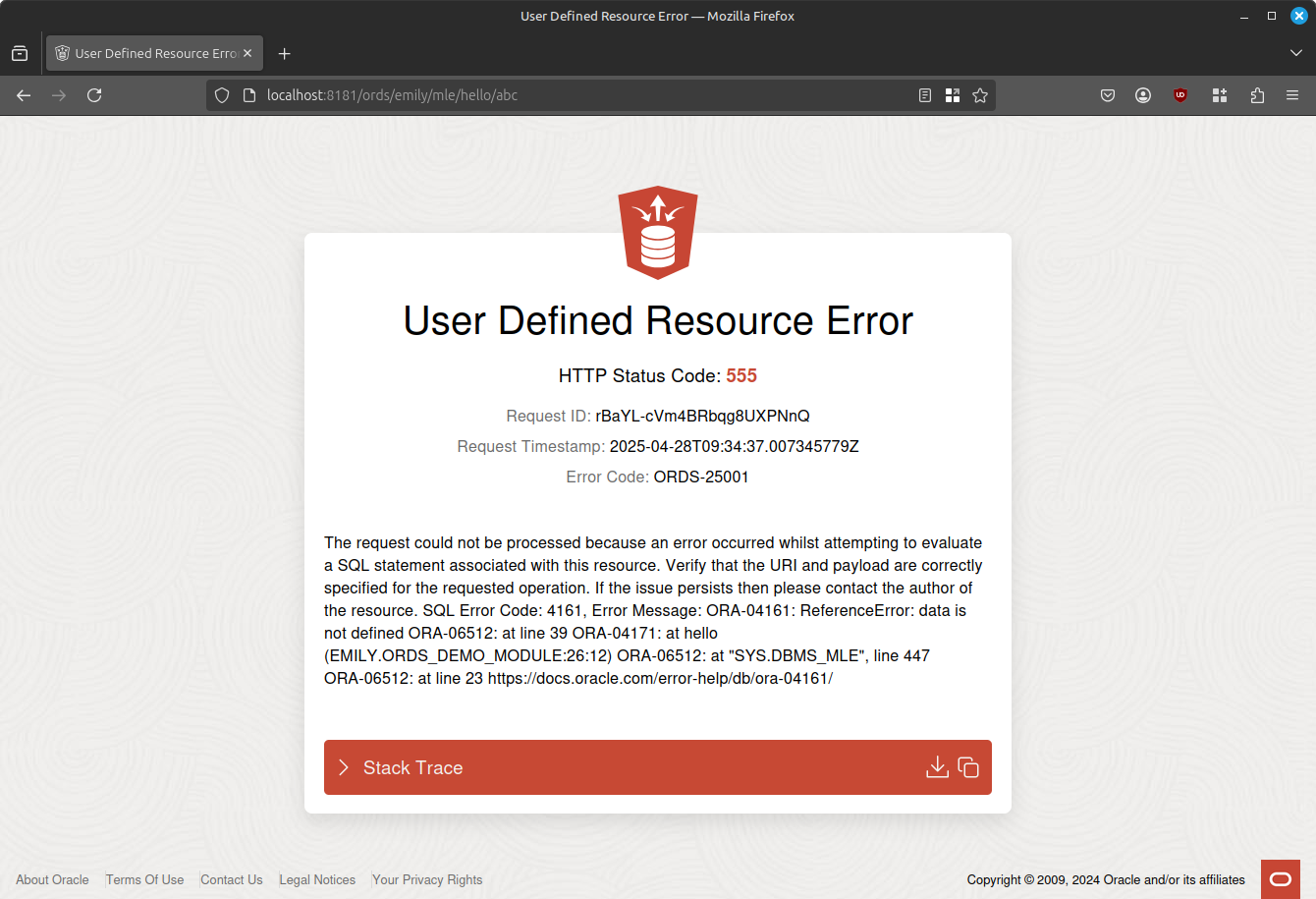
The important bit in the context of MLE/JavaScript can be found in the text (formatted for readability):
SQL Error Code: 4161, Error Message:
ORA-04161: ReferenceError: data is not defined
ORA-06512: at line 39 ORA-04171: at hello (EMILY.ORDS_DEMO_MODULE:26:12)
ORA-06512: at "SYS.DBMS_MLE", line 447 ORA-06512: at line 23
https://docs.oracle.com/error-help/db/ora-04161/
It’s almost 100% identical to the error you get in SQLcl, and sufficient for me to locate the error:
- ORA-4161 is the top-level MLE/JavaScript error – refer to the link provided for more details
- A reference error occurred: the code tries to access a variable called
datathat isn’t defined anywhere - The place where this happened is indicated, too: EMILY.ORDS_DEMO_MODULE line 26
- And you can see that ORDS passed your code snippet to DBMS_MLE
Armed with this information you can go hunt for the error:
SQL> select
  2      line,
  3      text
  4  from
  5      user_source
  6  where
  7      name = 'ORDS_DEMO_MODULE' and
  8      line between 24 and 28;

      LINE TEXT
---------- ------------------------------------------------------------
        24     console.log("a message from within the module");
        25
        26     return data;
        27 }
There it is! If you read this article carefully you will have noticed that the initial code snippet consisted of 30 lines of code, whereas the except from USER_SOURCE stops at 27 lines. The database doesn’t store the DDL command (create or replace mle module …) with the module code. That’s the first 2 lines accounted for. Neither does it store the statement terminator, which reduces the initial 30 lines to 27.
ORDS Stack Trace
If the error message shown above doesn’t provide the answers you need, you can dig deeper by expanding the stack trace. It contains a wealth of information, including the actual invocation of DBMS_MLE.
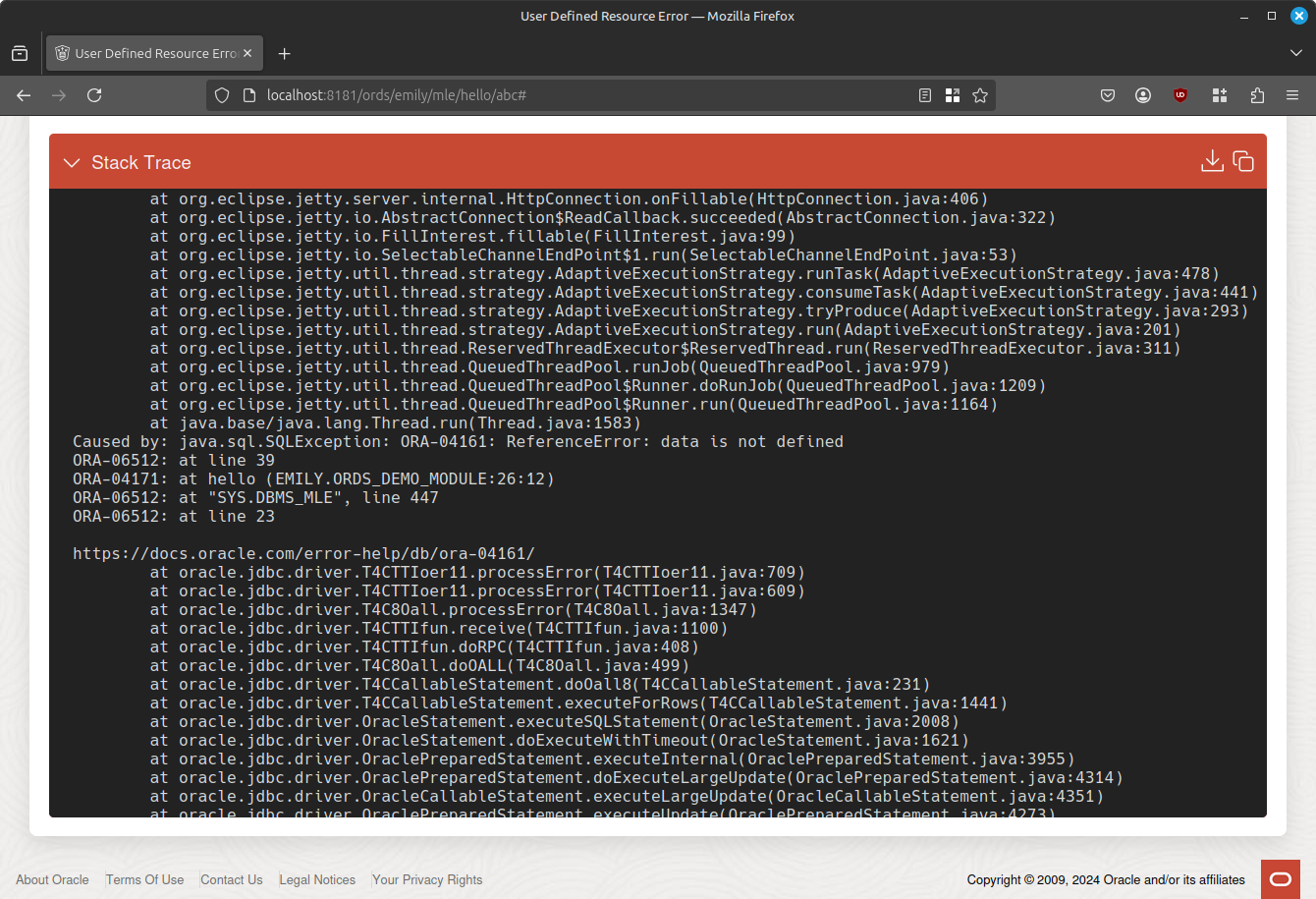
You can explore the stack trace in all its beauty by scrolling down, or copying/pasting it to an editor.
ORDS log files
Last, but not least you can see any errors in the ORDS logs. As per the introduction ORDS runs in a container, making it easy in this case to view the output:
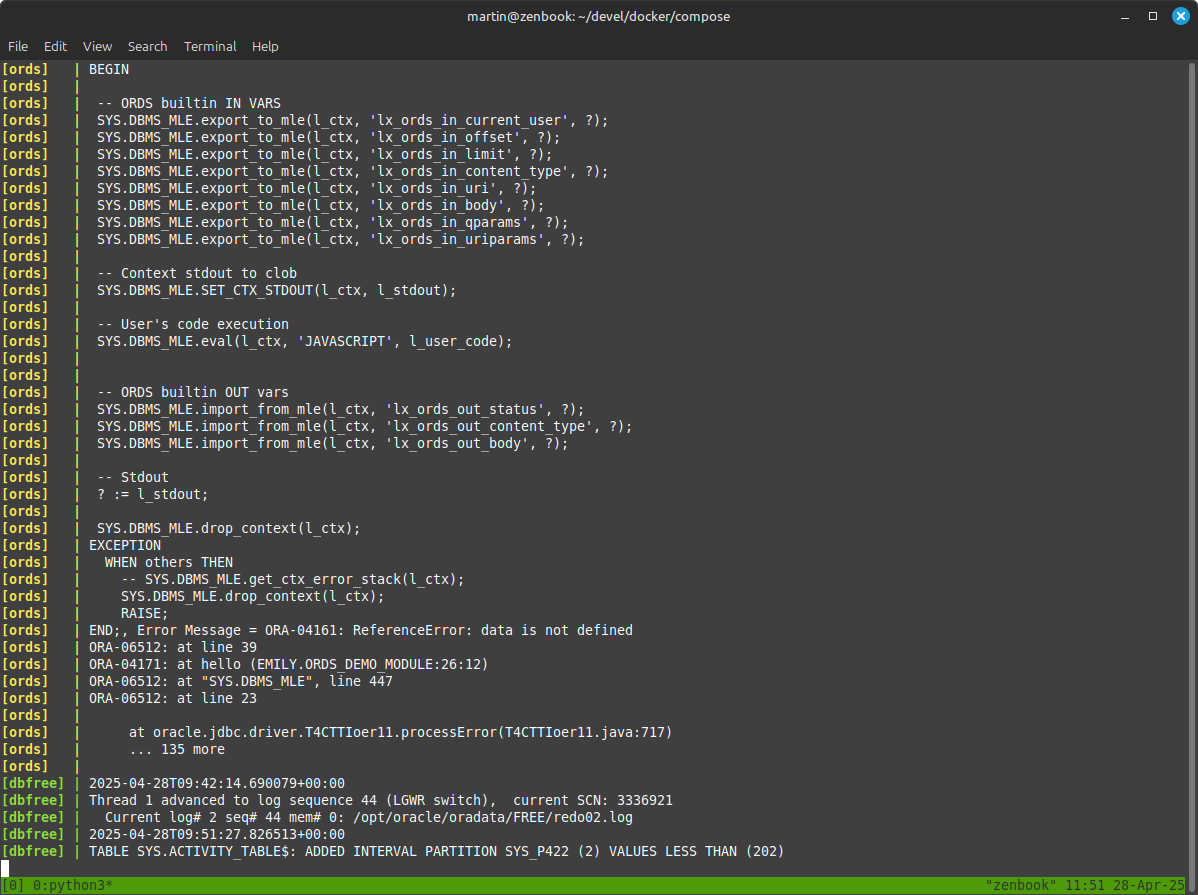
The combination of database and ORDS is started via podman-compose, as described on my GitHub. If you didn’t start your development environment in the foreground, use {podman,docker} logs <container name> to get the ORDS logs
Finding console.log() Output
In the final part of this blog post you are going to see where to find the results of console.log(). Let’s fix the code and redeploy first. When invoking the GET call again you see the output of console.log in the terminal

Note the final lines from the output.
Happy debugging!
 Martins Blog
You must be logged in to post a comment.