Oracle Database 23ai introduces In-Database JavaScript for Linux x86-64 and aarch64. That’s Linux on Intel and Arm, respectively. Developers with a preference for Typescript can use it alternatively after transpilation to JavaScript. JavaScript support in Oracle Database is known as Multilingual Engine, or MLE for short.
The latest Oracle SQL Developer Extension for VSCode release features an important update for In-Database JavaScript developers: beginning with version 25.1.1 you can create, modify, and drop JavaScript modules and environments.
Let’s have a look and explore the feature!
JavaScript Modules
MLE modules allow you to write more complex applications following a divide-and-conquer approach. Similar to PL/SQL packages they provide a logical container for your code. Porting client code based on node-oracledb is another common use case for MLE modules. Alternatively you can import existing third-party modules into the database from you favourite Content Delivery Network. Details about this nice productivity boost can be found in earlier posts, this one for example. More details about JavaScript modules can be found on developer.mozilla.org.
Here’s a little example in dark mode featuring the LCARS theme (apologies but no apologies 😀)
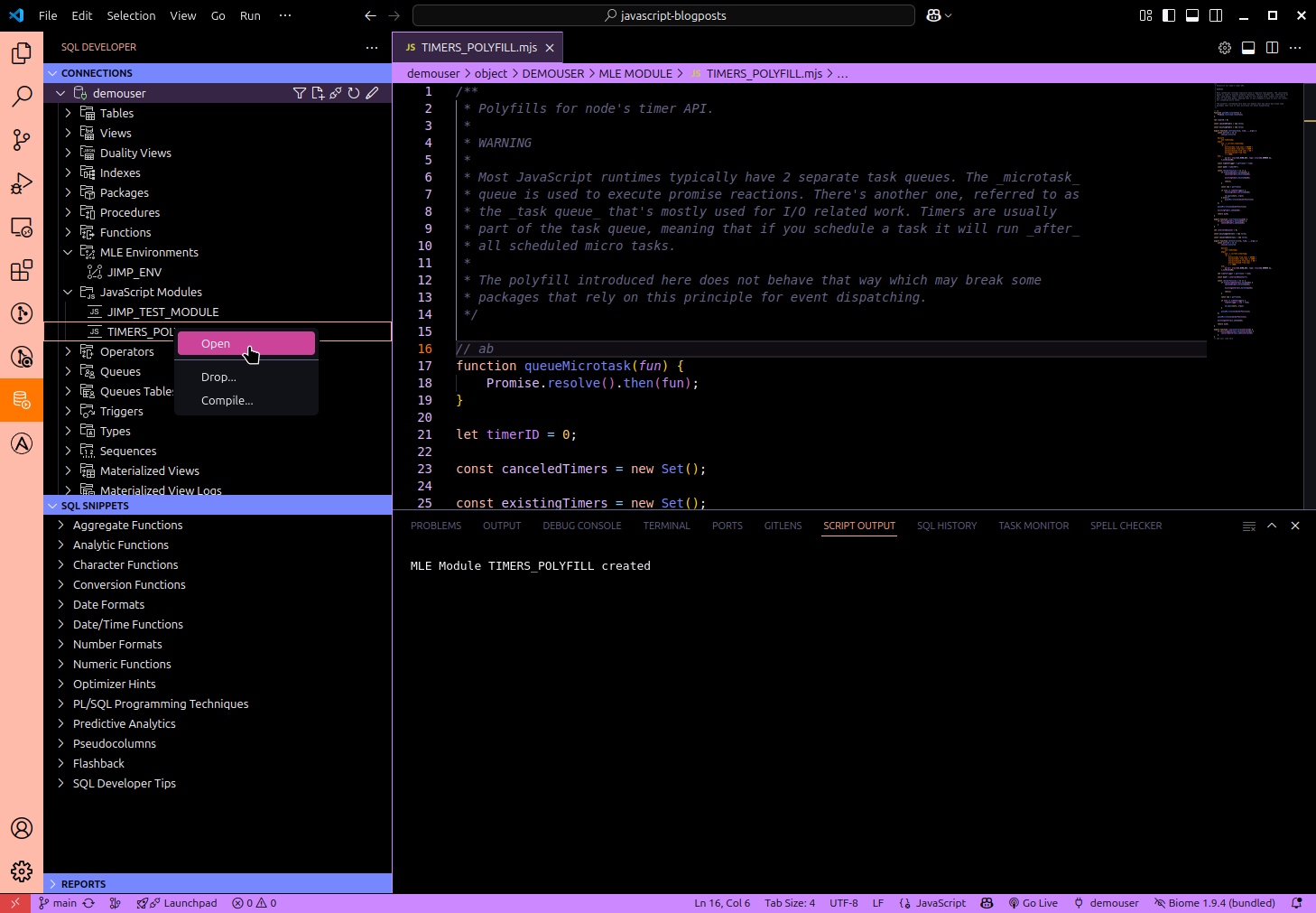
Developers who prefer writing code directly within their dev-database can now do so. Right-clicking JavaScript Modules allows you to create new modules, compile those that are invalid, or all modules.
Edit a module by right-clicking its name and opening it. The little cog item in the top right corner compiles the module after you changed it, or simply use the file-> save command (CTRL-S on Linux).
Power users creating JavaScript modules by bundling and/or minifying multiple modules should perhaps refrain from editing these artefacts directly and rely on their build process instead.
MLE Environments
You use the same approach as with JavaScript modules to edit MLE environments. Here’s a screenshot:
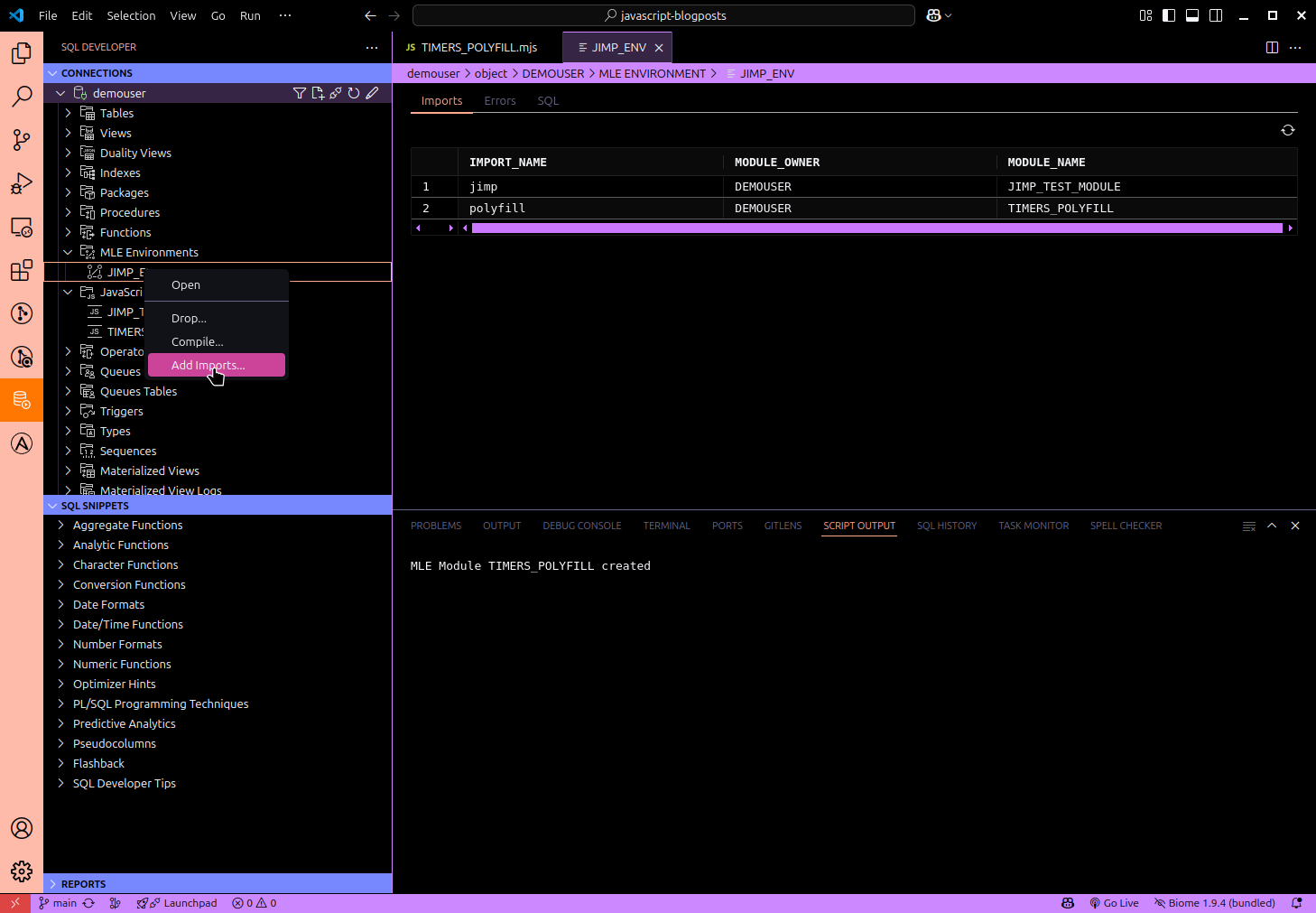
The same create/compile invalid/compile all options are available to you after a right-click on MLE Environments. Existing environments can be dropped (please be very careful with that!!!) and modified. Opening an environment takes you to the mapping of import names to modules. A right-click on the environment name allows you to add a new import to the environment.
Summary
Oracle SQLDeveloper Extension for VSCode is awesome, do I need to say more? Beginning with release 25.1.1 you get support for editing server-side JavaScript modules and environments. It should now be a lot easier to browse code in the database.
Happy coding!
 Martins Blog
You must be logged in to post a comment.