I recently attended POUG 2025, perhaps the most technical conference in Europe with focus on Oracle Database. My friend Øyvind Isene presented about Multilingual Engine (MLE)/JavaScript and made a good point about the delimiters you can use with inline JavaScript code. Please allow me to share a little bit of background first:
When using MLE/JavaScript you have 2 options to make JavaScript code available to SQL and PL/SQL:
- By creating a PL/SQL “stub” (technically, it’s referred to as a call-specification) linking to the module and exported function within that module
- By inlining JavaScript directly
This article is about the latter. For more details, please refer to the JavaScript Developer’s Guide.
What’s inline JavaScript again?
Let’s have a look at a typical in-line JavaScript function. It takes the LineItems array defined as part a purchase order (you find it documented in JSON Developer’s Guide) and calculates the order value.
create or replace function order_value("lineItems" json)
return number
as mle language javascript
{{

  // Ensure the input is an array; if not, return 0 safely
  if (!Array.isArray(lineItems)) return 0;

  // Sum over all line items
  return lineItems.reduce((total, item) => {
    // Use optional chaining to safely access unit price, convert to number,
    // and default to 0 if unavailable or invalid
    const unitPrice = Number(item?.Part?.UnitPrice) || 0;

    // Similarly, get quantity or default to 0
    const quantity = Number(item?.Quantity) || 0;

    // Add the value (unit price * quantity) to the running total
    return total + unitPrice * quantity;
  }, 0); // Start with a total of 0
}};
/
Lines 4 and 21 indicate the delimiters, {{ and }} in that case.
You are free to choose delimiters
Well, within certain limits. What if you don’t like the curly braces? You can pick your own! As per chapter 6 in the JavaScript Developer’s Guide:
The JavaScript function body must be enclosed by a set of delimiters. Double curly braces are commonly used for this purpose, however, you also have the option to choose your own. The beginning and ending delimiter must match and they cannot be reserved words or a dot. For delimiters such as {{...}}, <<...>>, and ((...)), the ending delimiter is the corresponding closing symbol, not an exact match.
So you could use << … >> for example.
create or replace function order_value("lineItems" json)
return number
as mle language javascript
<<

  // Ensure the input is an array; if not, return 0 safely
  if (!Array.isArray(lineItems)) return 0;

  // Sum over all line items
  return lineItems.reduce((total, item) => {
    // Use optional chaining to safely access unit price, convert to number,
    // and default to 0 if unavailable or invalid
    const unitPrice = Number(item?.Part?.UnitPrice) || 0;

    // Similarly, get quantity or default to 0
    const quantity = Number(item?.Quantity) || 0;

    // Add the value (unit price * quantity) to the running total
    return total + unitPrice * quantity;
  }, 0); // Start with a total of 0
>>;
/
You can even pick emojis:
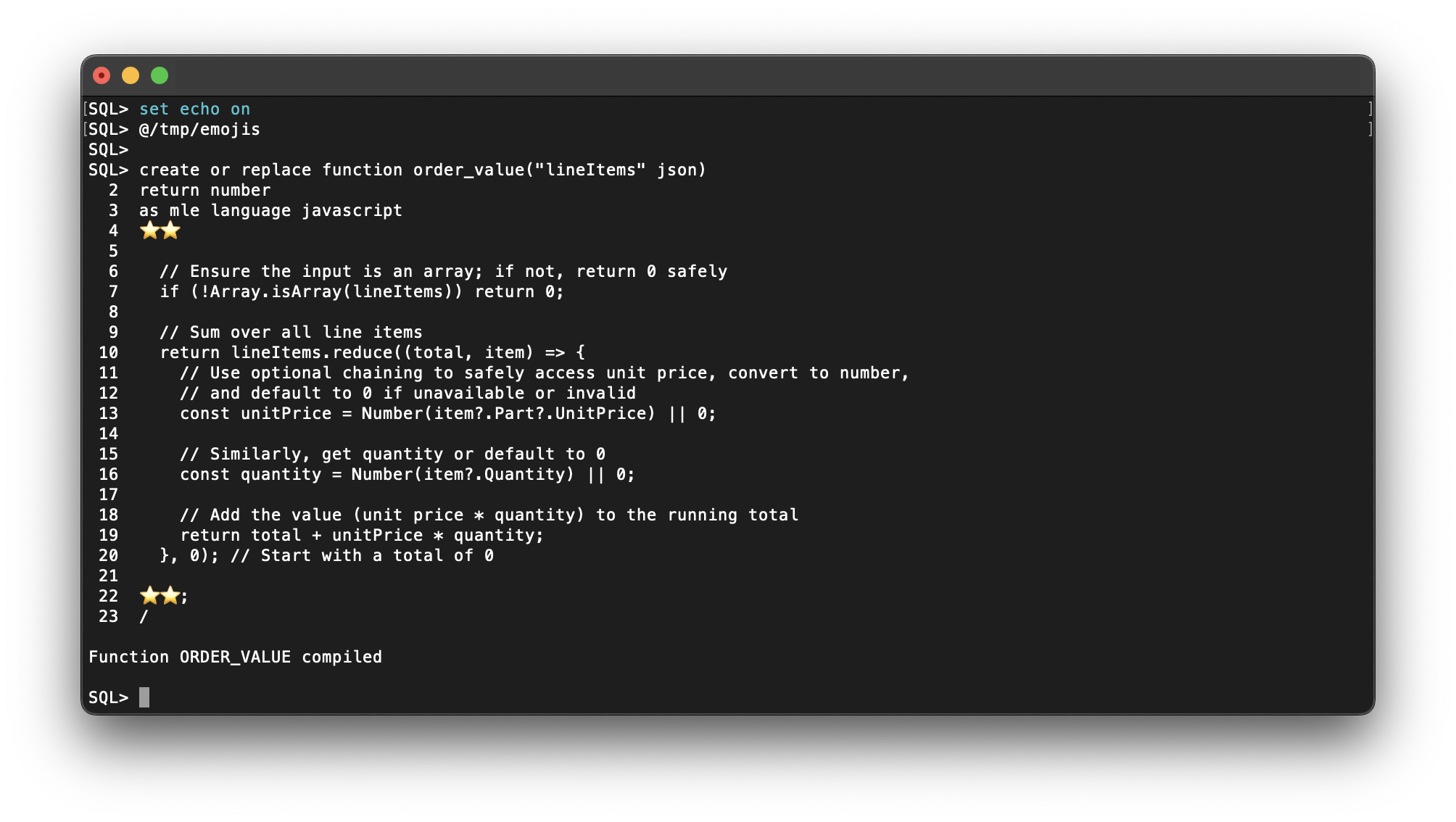
You should see Function ORDER_VALUE compiled in SQL Developer Command Line (SQLcl).
And it works!
You invoke the function like any other PL/SQL function, for example:
SQL> @/tmp/itworks
SQL> var l_purchase_order_value number
SQL> declare
  2
  3      l_purchase_order json := json('
  4      {
  5          "PONumber": 1600,
  6          "Reference": "ABULL-20140421",
  7          "Requestor": "Alexis Bull",
  8          "User": "ABULL",
  9          "CostCenter": "A50",
 10          "ShippingInstructions": {
 11              "name": "Alexis Bull",
 12              "Address": {
 13              "street": "200 Sporting Green",
 14              "city": "South San Francisco",
 15              "state": "CA",
 16              "zipCode": 99236,
 17              "country": "United States of America"
 18              },
 19              "Phone": [
 20              {
 21                  "type": "Office",
 22                  "number": "909-555-7307"
 23              },
 24              {
 25                  "type": "Mobile",
 26                  "number": "415-555-1234"
 27              }
 28              ]
 29          },
 30          "Special Instructions": null,
 31          "AllowPartialShipment": true,
 32          "LineItems": [
 33              {
 34              "ItemNumber": 1,
 35              "Part": {
 36                  "Description": "One Magic Christmas",
 37                  "UnitPrice": 19.95,
 38                  "UPCCode": 13131092899
 39              },
 40              "Quantity": 9.0
 41              },
 42              {
 43              "ItemNumber": 2,
 44              "Part": {
 45                  "Description": "Lethal Weapon",
 46                  "UnitPrice": 19.95,
 47                  "UPCCode": 85391628927
 48              },
 49              "Quantity": 5.0
 50              }
 51          ]
 52      }');
 53  begin
 54      :l_purchase_order_value := order_value(
 55          json_query(
 56              l_purchase_order, '$.LineItems' returning json
 57          )
 58      );
 59  end;
 60  /

PL/SQL procedure successfully completed.

SQL> print :l_purchase_order_value

L_PURCHASE_ORDER_VALUE
----------------------
                 279.3
Happy coding!
 Martins Blog
You must be logged in to post a comment.