Someone in the community once said to me that APEX is awesome even if you’re not writing APEX apps in the database. It comes with so many useful featues – like the one you’re reading about. Along ORDS (Oracle REST Data Services) it’s one of the standard components in all my databases.
Adding QR codes to link to resources on the web is a common task, especially if you are someone who regularly presents at conferences like I do. There are of course free online QR-code generators, but you may not know for sure which kind of information they encode, or whether they lead your audience to a malicious site with the worst intentions….
So I turned my eyes to APEX, having been told that APEX has native support to generate QR codes. I didn’t want to whip a page up, I’m old enough to be comfortable with the command line. I found APEX_BARCODE.get_qrcode_png to be exactly what I needed. I used Oracle SQL Developer Extension for VSCode to run this block of PL/SQL, but you’re of course free to pick whatever interface into the database you prefer. The user account I connected to “owns” my APEX workspace, but I don’t think that’s a prerequisite.
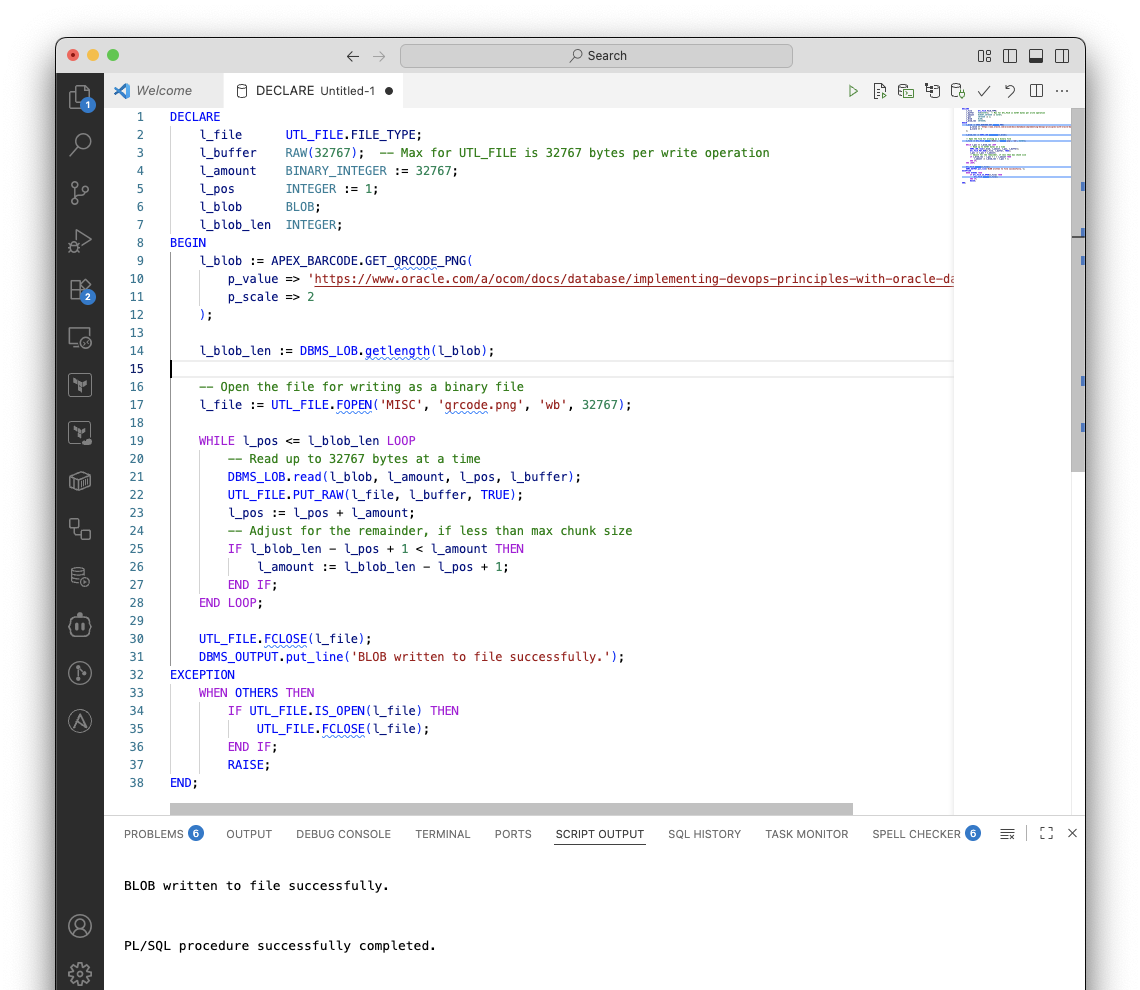
This little block of PL/SQL transforms the URL pointing to the DevOps tech brief into a QR code:
DECLARE
    l_file      UTL_FILE.FILE_TYPE;
    l_buffer    RAW(32767);  -- Max for UTL_FILE is 32767 bytes per write operation
    l_amount    BINARY_INTEGER := 32767;
    l_pos       INTEGER := 1;
    l_blob      BLOB;
    l_blob_len  INTEGER;
BEGIN
    l_blob := APEX_BARCODE.GET_QRCODE_PNG(
        p_value => 'https://www.oracle.com/a/ocom/docs/database/implementing-devops-principles-with-oracle-database.pdf',
        p_scale => 2
    );

    l_blob_len := DBMS_LOB.getlength(l_blob);

    -- Open the file for writing as a binary file
    l_file := UTL_FILE.FOPEN('MISC', 'qrcode.png', 'wb', 32767);

    WHILE l_pos <= l_blob_len LOOP
        -- Read up to 32767 bytes at a time
        DBMS_LOB.read(l_blob, l_amount, l_pos, l_buffer);
        UTL_FILE.PUT_RAW(l_file, l_buffer, TRUE);
        l_pos := l_pos + l_amount;
        -- Adjust for the remainder, if less than max chunk size
        IF l_blob_len - l_pos + 1 < l_amount THEN
            l_amount := l_blob_len - l_pos + 1;
        END IF;
    END LOOP;

    UTL_FILE.FCLOSE(l_file);
    DBMS_OUTPUT.put_line('BLOB written to file successfully.');
EXCEPTION
    WHEN OTHERS THEN
        IF UTL_FILE.IS_OPEN(l_file) THEN
            UTL_FILE.FCLOSE(l_file);
        END IF;
        RAISE;
END;
The user executing the snippet requires write access to the directory the QR code is stored. As a DBA, you could run the following command to accomplish that:
create directory MISC as '/path/to/the/filesystem/location';

grant read, write on directory misc to <user>;
That’s it! Now all I need to do is fetch the QR code and I’m done. I verified that it works fine, and included it in my next presentation. Life is good.
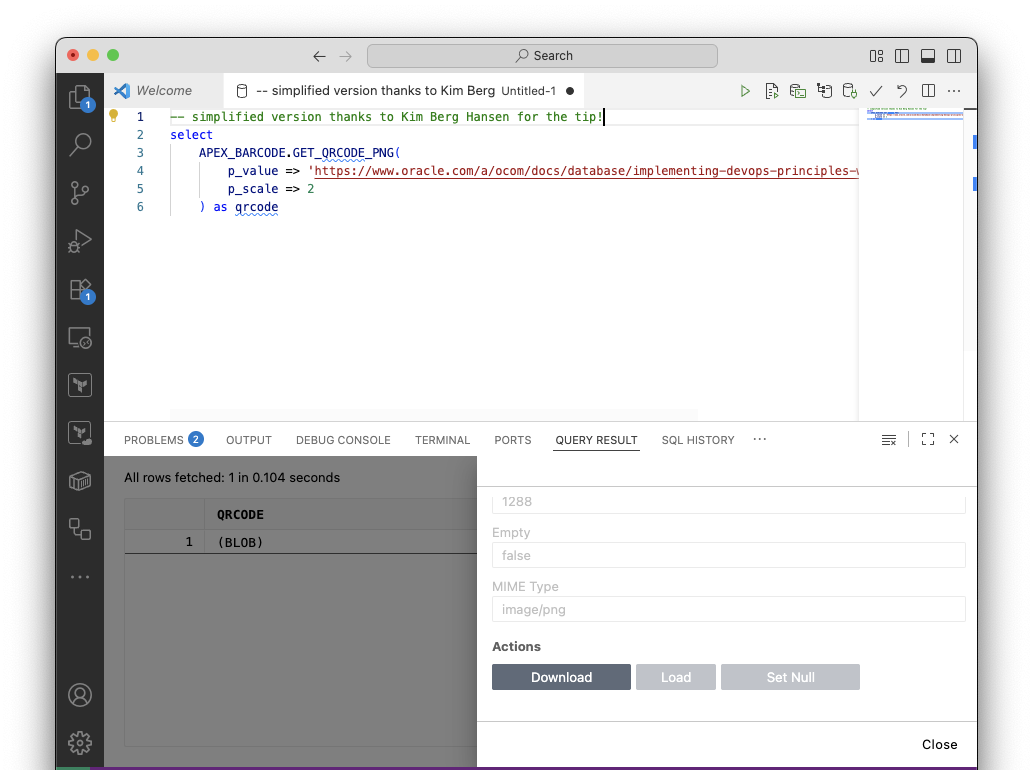
Addendum: Based on feedback from Kim Berg Hansen (thanks!) you can simplify the process a lot by
- Using the SQLDeveloper Extension as before
- Run the above select
- In the grid, select the eye icon (on the right) of the line
- Scroll down, click download
- Voila!
 Martins Blog
You must be logged in to post a comment.