Oracle AI Database has been released! It ships with a whole raft of cool new features, including some the Multilingual Engine (MLE) team integrated for JavaScript. This article discusses one of them, support for PL/SQL Records and Collections.
This is a rather wide topic, which is why you find the article broken into a small mini-series.
- Part One: Using Records as input parameters in MLE/JavaScript
- Part Two: returning Records to PL/SQL
- Part Three: Using Collections: nested tables
Up to Release Update 23.26.0, aka the initial 26ai release, it was impossible to exchange PL/SQL records and collections with MLE/JavaScript code. This has all changed now! The MLE/JavaScript documentation has all the details, this article is a mere teaser since you can do a lot more with Record and Collection support than what’s shown here. It is assumed that you know roughly what a PL/SQL Record and PL/SQL Collection are. If not, head over to the documentation for an explanation of both.
Part 3 of this series is brand new, and doesn’t require any of the setup previously needed. It covers nested tables, varrays, and associative arrays in MLE.
Using APEX_LANG.GET_MESSAGE
If I understand things correctly, the APEX_LANG package is part of the i18n framework in APEX. You can define strings to which you assign messages, optionally in different languages. It defaults to English. Here’s a screenshot showing the configuration in application 104:
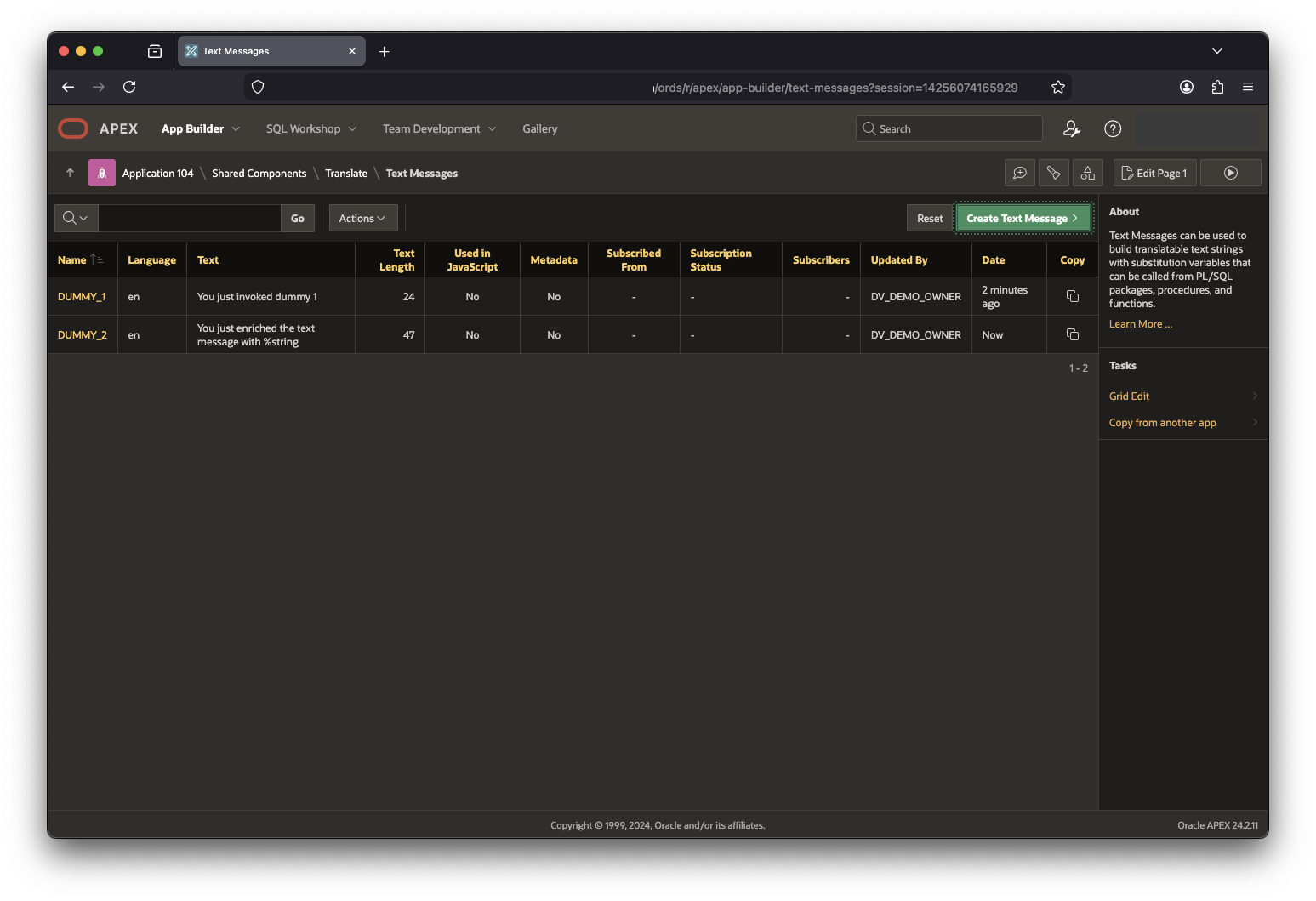
These messages can be referred to by APEX_LANG.GET_MESSAGE using their names (leftmost column). The call spec is shown here for your convenience:
APEX_LANG.GET_MESSAGE (
    p_name              IN VARCHAR2,
    p_params            IN apex_t_varchar2  DEFAULT apex_t_varchar2(),
    p_lang              IN VARCHAR2         DEFAULT NULL,
    p_application_id    IN NUMBER           DEFAULT NULL )
    RETURN VARCHAR2;
Notice the p_params parameter, it takes an argument of type APEX_T_VARCHAR2. Unless I’m gravely mistaken this is a PL/SQL nested table (of VARCHAR2).
Let’s try to get the English message in application 104. As you can see in the screenshot I defined DUMMY_1 and DUMMY_2 in the application’s shared components in English.
Testing in SQL
Before switching to MLE/JavaScript, let’s try this out in SQL Workshop first. Switch the editor to SQL if you haven’t done so already.
select
    apex_lang.get_message(
        p_name => 'DUMMY_1',
        p_application_id => 104
    )

-- prints: You just invoked dummy 1

select
    apex_lang.get_message(
        p_name => 'DUMMY_2',
        p_params => apex_t_varchar2('string', 'a custom parameter string'),
        p_application_id => 104
    )

-- prints: You just enriched the text message with a custom parameter string
Nice, this works! Note that I’m providing an array of strings in the second call. This allows me to substitute %string in DUMMY_2 with whatever I provide in the function.
Converting to JavaScript
Having ascertained that my setup works, it’s time to implement the functionality in JavaScript. Let’s have a look at the code first:
const result = session.execute(
    `begin
        :msg := apex_lang.get_message(
            p_name => :name,
            p_params => :params,
            p_application_id => 104
        );
    end;`,
    {
        msg: {
            dir: oracledb.BIND_OUT,
            type: oracledb.STRING
        },
        name: 'DUMMY_2',
        params: {
            type: "APEX_T_VARCHAR2",
            dir: oracledb.BIND_IN,
            val: [ 'string', 'some string from MLE' ]
        }
    }
);

console.log(result.outBinds.msg)
The output is what you’d expect when you run it from APEX’s SQL Workshop. For this to work ensure that you set the editor is switched to MLE/JavaScript.
You just enriched the text message with some string from MLE
The example uses a few bind variables. The key to successful execution lies with the params definition. Notice that the type is explicitly referenced (which is different from some other collection types). The value consists of an array of strings, as required by APEX_T_VARCHAR2.
Summary
This post demonstrated how to use various collection types with MLE/JavaScript. The first chapter details the use of Nested Tables, more examples to follow!
 Martins Blog
You must be logged in to post a comment.