In the previous article you were introduced to the Modern AI Development Stack with Oracle AI Database at its centre. This time, let’s look at one of the concepts in more detail: installing and updating Oracle Agent Skills.
In an earlier article you read how to install and update Oracle Agent Skills either using npx (part of node.js) or SQLcl. Since SQLcl is part of most developer machines and ships with the SQLDeveloper extension for VSCode, most people have access to it.
Beginning with SQLcl release 26, it’s possible to install and update Oracle’s Agent skills. You don’t even need a database connection for that, it’s dead simple. Here is a screenshot of a terminal session showing the Oracle Agent Skills installation to a local directory:
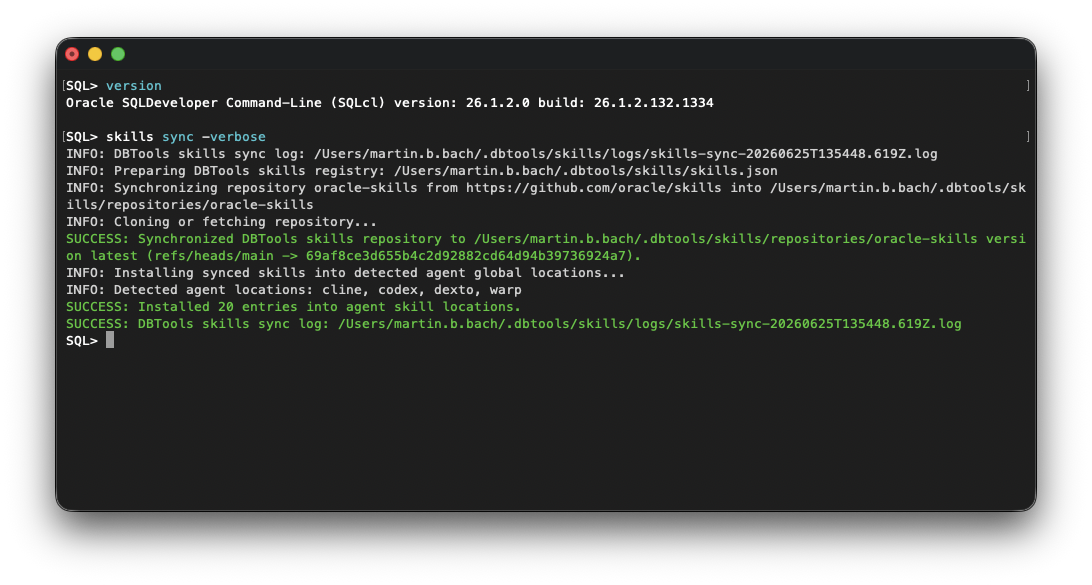
All you need to do is launch SQLcl, specifying /nolog if you don’t need a database connection later. Then it’s time to type the magic words:
SQL> skills sync -verbose
This command pulls the latest Agent Skills from Oracle’s Git repository and deploys them into the locations expected by supported coding agents. In my case – I use codex – the skills were deployed to ~/.codex/skills as you would expect. SQLcl also installs the skills into the default locations used by supported coding agents such as Codex, Cline, Dexto, Warp, and others.
Now fire up your preferred coding agent, like codex in this example.
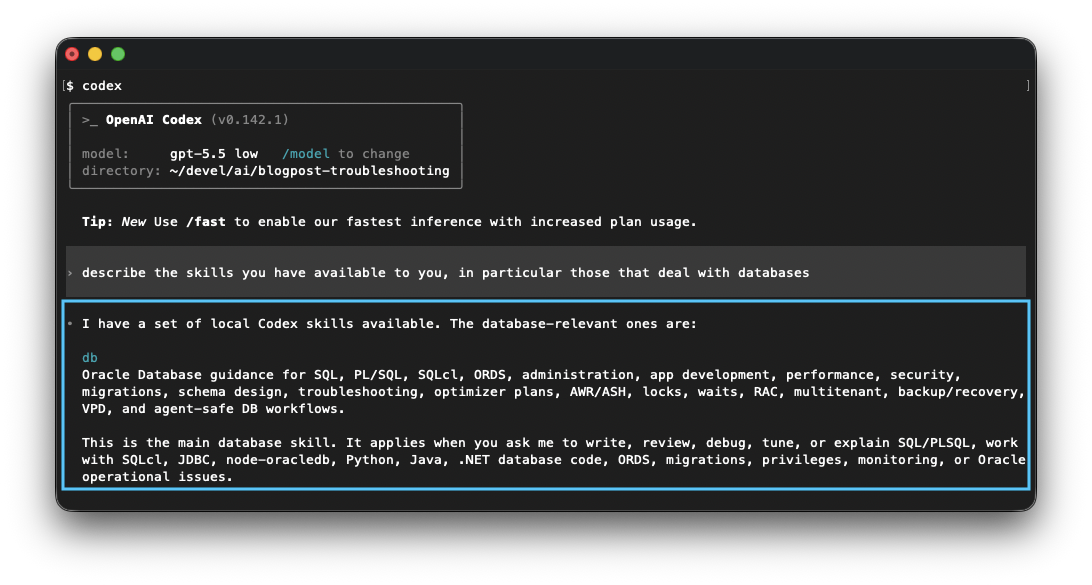
Since SQLcl deploys the skills where the coding agents expect them, they are ready to use straight away. This works regardless of how you use your coding agent, whether from the terminal, a VS Code extension, or a desktop application.
Happy coding!


You must be logged in to post a comment.